Agenda & showings
A showing schedule app that actually reminds you
The short answer: a generic calendar can hold an appointment, but it doesn't know which client it's for or which property you're showing. Property Agenda gives agents a calendar where every event is a call, a showing or a signing linked to a client and a property — with reminders that fire on time, visit outcomes, and a morning summary of the day ahead.
Missed showings cost more than the sale in front of you — they cost listings. The seller waiting at the door with a no-show agent tells the story at every dinner for a month, and the buyer who rearranged work for nothing rarely rearranges it twice. Most misses aren't laziness; they're an appointment typed as "showing 5pm" in a calendar with no address, no client, and a reminder that never got set.
The showing itself is also where information is richest and most perishable. What the client said at the door — too dark, wrong street, loved the kitchen — is gold for the next recommendation, and it evaporates by dinner. A schedule app for agents should treat the outcome as part of the appointment, not something you promise yourself you'll write down later.
What an agent's calendar needs that a generic one doesn't
- Typed events — a call, a showing and a signing are different jobs, and your day should read that way at a glance.
- Client and property on the event — who you're meeting and where, one tap deep, not in a note field.
- Reminders as local notifications — they fire on your phone, on time, with no server involved.
- Recurrence — once, daily, weekly or monthly, for the standing Monday pipeline call.
- A month calendar and a week strip — plan the month, work the week.
Scheduling showings in Property Agenda, step by step
- Create the event and pick its type. Call, showing or signing — each shows up clearly on the calendar.
- Link the client and the property. The event carries the full context, so "who was this again?" never happens in the car.
- Set the reminder. Choose recurrence if it repeats — once, daily, weekly or monthly.
- Record the outcome after the showing. "Liked it" or "Didn't like it," plus notes while the details are fresh.
- Let a dislike spawn the follow-up. When a client didn't like the property, Property Agenda can create the follow-up right there — the deal keeps moving instead of dying politely.
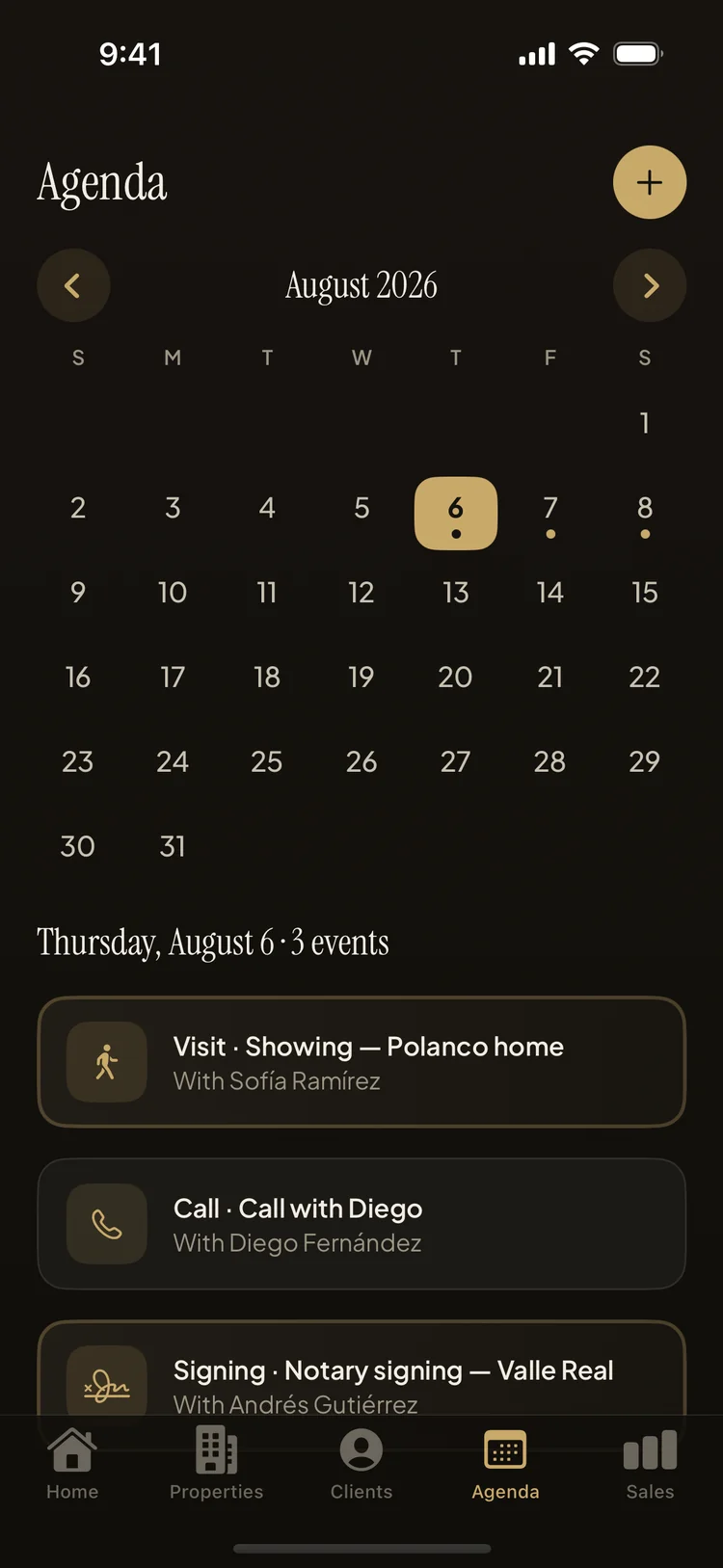
Overdue is a list, not a feeling
The Reminders screen splits everything pending into overdue and today, so the follow-ups that slipped stop being a vague weight and become a short list you clear over coffee. Add the optional daily morning summary notification and the day's showings and calls are in your hand before you've left the house — no opening five apps to reconstruct your schedule.
Recurrence earns its keep on the unglamorous events. The standing Monday pipeline call, the weekly check-in with the developer whose pre-sale you're moving, the monthly touch with a past client who promised a referral — set each one once, choose daily, weekly or monthly, and the calendar does the remembering for the rest of the year. These are exactly the appointments a paper agenda drops, because nobody rewrites a recurring task fifty-two times.
From showing to signature
A well-run agenda feeds the rest of the pipeline: a "Liked it" outcome today is a negotiation this week and a notary appointment next month. When it gets there, the same app tracks the closing stage by stage, so the showing that went well never loses momentum in the paperwork. The agenda, reminders and outcomes are all included in the free plan — scheduling is never paywalled.
Never lose a listing to a missed showing
Property Agenda is free on the App Store. No account, no login, works offline.
Download Property Agenda